
Imaginatron creative tools
Online video editor
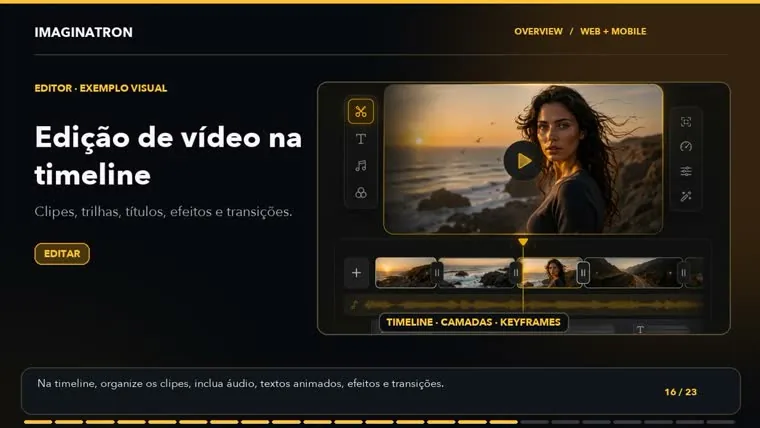
Arrange imported media and AI-generated clips on a timeline in your browser. Imaginatron's video editor brings trimming, text, audio and transitions into one workspace, with project drafts and undo history for revising the sequence.
Account required to use the tool. Review current access requirements and any token quote in the app.
Build a sequence from the clips you already have
The timeline editor gives you control over the order and timing of your material. Use it for a short social video, a narrated demonstration or a sequence built from generated shots. You can trim and split clips, work with music and voiceover tracks, and add text or shapes. Keep the main message clear before spending time on effects; pacing and readable captions make a larger difference than adding a transition to every cut.
How to get started
Import and arrange your media
Open the editor and add the clips or images for your project. Put them in the intended order, trim empty starts and ends, and split longer footage into the parts you need.
Add text, movement and audio
Place editable text where it supports the message. Adjust transforms, use motion or transition options where they help, and balance music against voiceover.
Preview and export
Watch the sequence from beginning to end. Check captions, timing and audio, then use the export options available for your project. Reopen the draft when you need another revision.
A simple product-video structure
Start with a clear shot of the product, follow with a close-up of one useful detail, then finish with a short text card. Add a voiceover if it explains something the images cannot show by themselves.
Before you finish
Keep captions away from edges and preview them at phone size. If you need a new shot, generate it in Create and return to the timeline. For motion between drawings, follow the AI In-between guide linked below.
Frequently asked questions
Do I need to install the video editor?
The web editor runs in your browser. Sign in to your Imaginatron account to open the workspace and your projects.
Can I add music and voiceover?
Yes. The editor supports music and voiceover tracks, including audio ducking under narration. Preview the mix so the voice remains understandable.
Can I combine AI video with my own clips?
Yes. The timeline works with imported media and generated clips. Generate new material in Create, then arrange and finish the sequence in the editor.
For billing and account questions, visit the help center or read the full FAQ.