
Imaginatron creative tools
3D animation studio
Build a scene and decide how the camera should show it. Imaginatron's 3D Movie Studio connects scene assembly, shot composition, animation and rendering, giving you a place to work on a short film before taking the result into a video sequence.
Account required to use the tool. Review current access requirements and any token quote in the app.
Plan one readable shot before building a whole film
A 3D scene lets you make decisions about objects, their placement and the camera instead of asking a video model to interpret the whole shot from text. Start with a small scene and one action. Check the camera view as you place subjects so the intended focus is visible. You can develop additional shots after the first composition works, rather than adding detail that never appears in the frame.
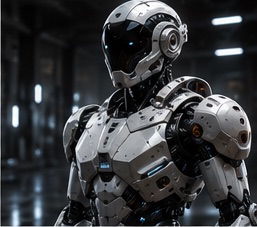
How to get started
Set up the scene
Open 3D Movie Studio and begin with the scene elements your shot needs. Establish where the main subject will be and keep the initial arrangement simple enough to inspect.
Compose the camera view
Choose a view that makes the action readable. Check framing and distance, then work on the movement or timing needed for the shot. Preview changes before adding more elements.
Render and continue editing
Review the available render options and any token quote before starting. Inspect the rendered result and use the video editor to assemble it with other shots or audio.
A first scene to practice
Stage a single object on a simple ground plane. Frame it with space around the silhouette, create a slow camera move and preview the whole shot. Keep the movement subtle enough that the subject remains easy to follow.
Before you finish
Use 3D when object placement and camera composition are central to the idea. For a quick interpretation of a written scene, text-to-video may be a better starting point. For a drawn character with a rig and a 2D timeline, use the separate 2D Animation tool and guide.
Frequently asked questions
How is the 3D studio different from AI video generation?
The 3D studio is a scene and shot workflow where you work on placement and camera composition. AI video generation interprets a text prompt or starting image to create a clip.
Can I edit a rendered shot with other video?
Yes. Continue in the video editor to arrange the rendered shot with other media, adjust timing and add text or audio.
Where can I learn character animation in 2D?
The 2D Animation guide covers project setup, rigging, pivots, timeline animation, face and lip sync, scenes, audio and export in the separate 2D tool.
For billing and account questions, visit the help center or read the full FAQ.