
Imaginatron creative tools
AI video generator
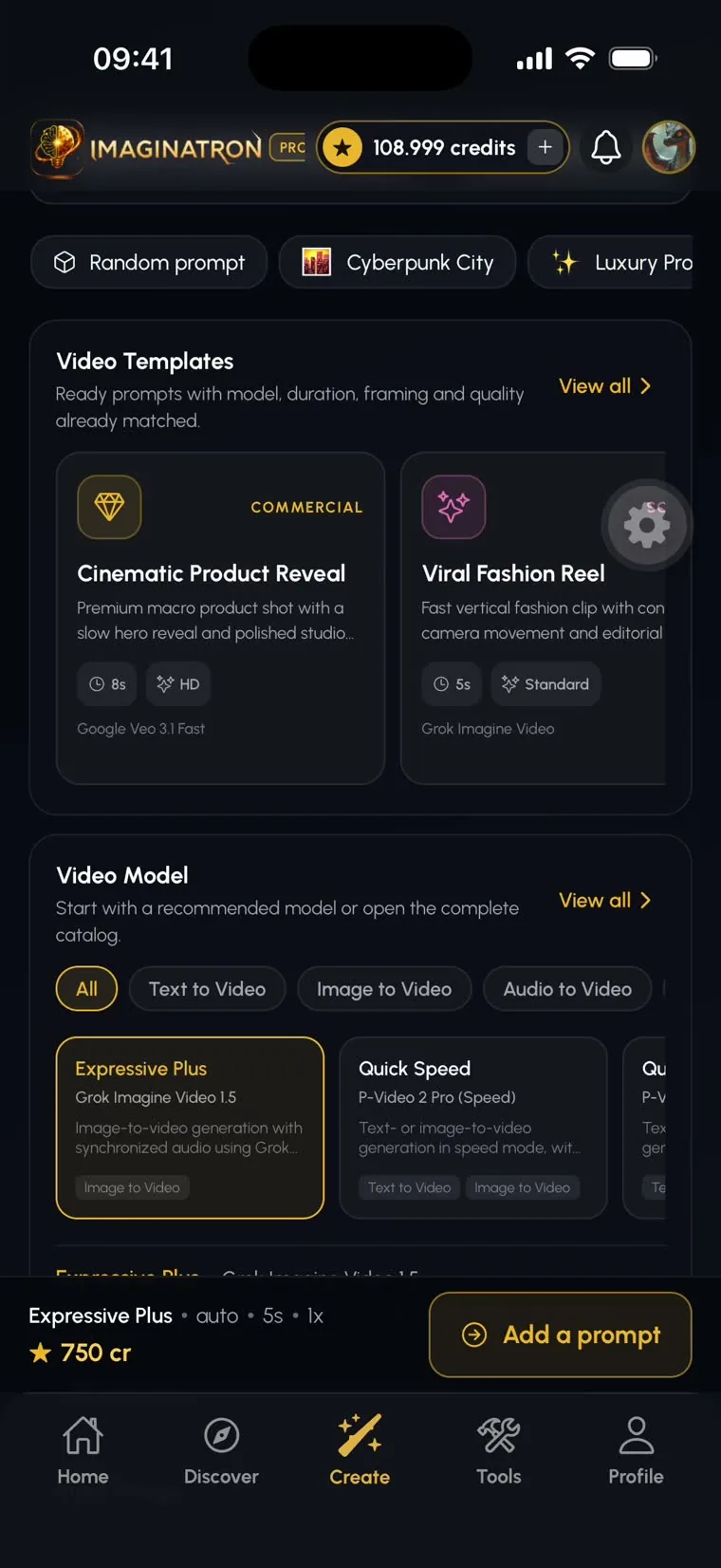
Make an AI video from a written idea or give a still image movement. Imaginatron combines text-to-video and image-to-video in Create, with a separate timeline editor for arranging the finished clips, adding sound and preparing a sequence.
Account required to use the tool. Review current access requirements and any token quote in the app.
Choose a starting point for your clip
Text-to-video is useful when you want the model to invent the scene from your description. Image-to-video starts with an existing frame, which helps establish the subject and visual style. Use it to animate an illustration, explore a camera move on a scene or make a short motion study from a photo. The generated motion is interpreted by the model, so compare the output with your intended action before using it in a finished project.
How to get started
Select video in Create
Start with a text description, or choose image-to-video and upload a starting image. A clear image with a readable subject gives the movement a stronger starting point.
Describe the action and camera
Explain what changes over time. Keep the first attempt to one action or camera move, then choose the available model, length and other settings. Review the live token quote.
Generate and build your sequence
Watch the whole result for consistency. Keep the clips that work and open the video editor to trim, order shots and add music or voiceover.
An image-to-video motion prompt
Slow camera push toward the subject, a gentle breeze moving the leaves, steady lighting, keep the subject in focus, one continuous shot with no cuts.
Before you finish
Long lists of actions can make a short clip difficult to control. Generate individual shots and assemble them on the timeline. If you need motion between two drawn poses, the AI In-between guide explains that different workflow.
Frequently asked questions
Can I animate a photo online?
Yes. Choose image-to-video in Create, upload the photo and describe the movement. You need an account and enough tokens for the selected generation settings.
How much does AI video generation cost?
The quote depends on the model, length and settings available in Create. Review that quote before generating; the pricing page explains plans and tokens.
Can I edit a generated video?
Yes. Open the video editor to trim and arrange clips, work with text and audio, and build a sequence from generated or imported media.
For billing and account questions, visit the help center or read the full FAQ.